Daily practice
Check whether students attempted the expected work without turning every practice set into a correctness grade.
CompGrader turns one scan of a class's handwritten work into organized, reviewable grades and individualized feedback for each student. In any subject.
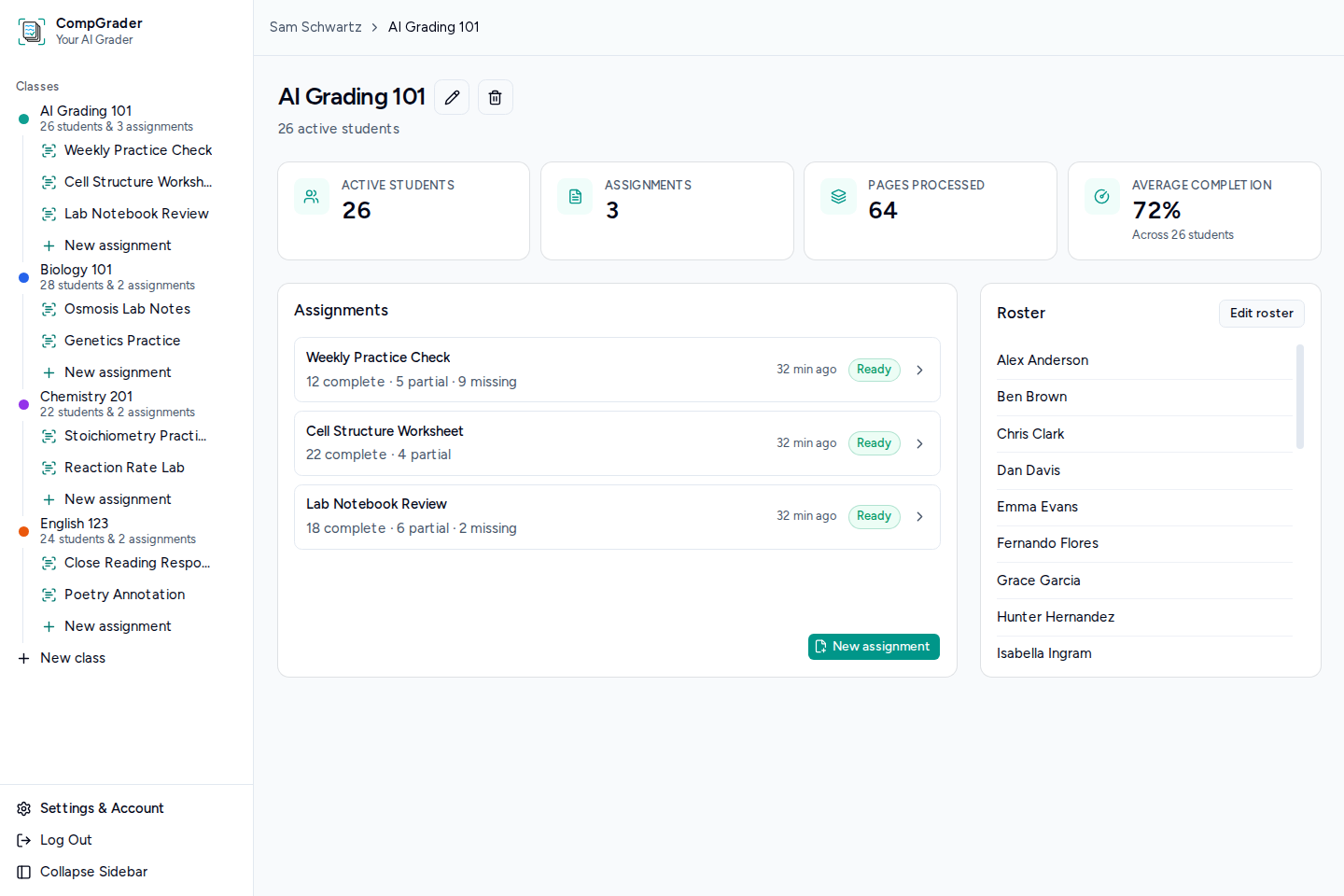
Made for the work in between
Use CompGrader for the frequent, handwritten work where completion matters: practice, early thinking, and evidence that students engaged with the task.
Check whether students attempted the expected work without turning every practice set into a correctness grade.
Move through bell-ringers, brainstorming pages, diagrams, and other handwritten thinking more efficiently.
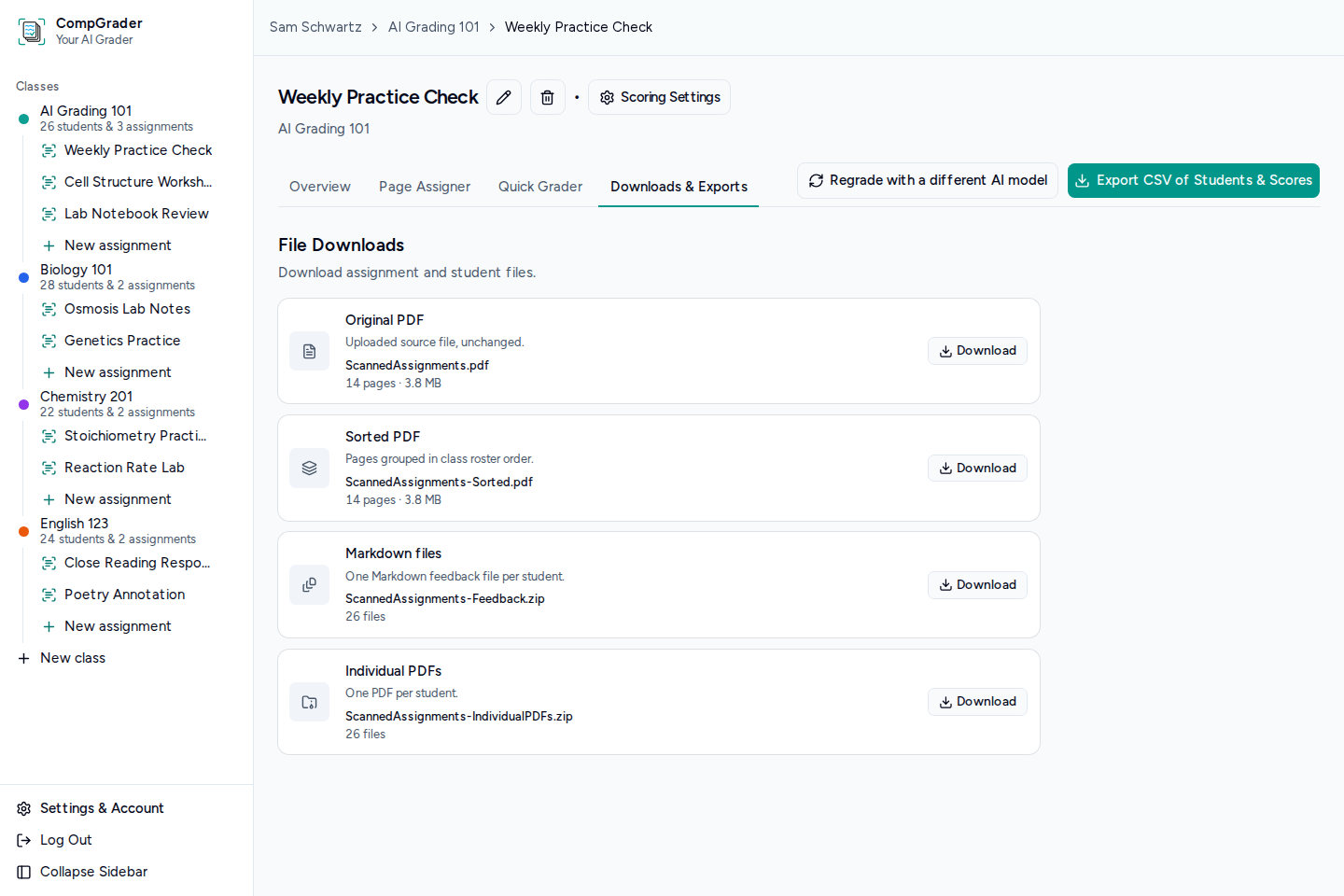
For larger classes, organizing student submissions alphabetically can be a pain. Let the AI grader do that for you.
From copier to gradebook
A simple workflow handles the mechanical steps while leaving the consequential ones with you.
Create a class and paste in the student names you already keep in your LMS or gradebook.
Feed the papers through the copier and upload the result as one PDF - no splitting or renaming files.
CompGrader matches students with their submissions, provides completion estimates, and suggests grades with feedback.
Make any corrections, preview the final grade rows, and download a clean CSV for import into your LMS.
Inside the workflow
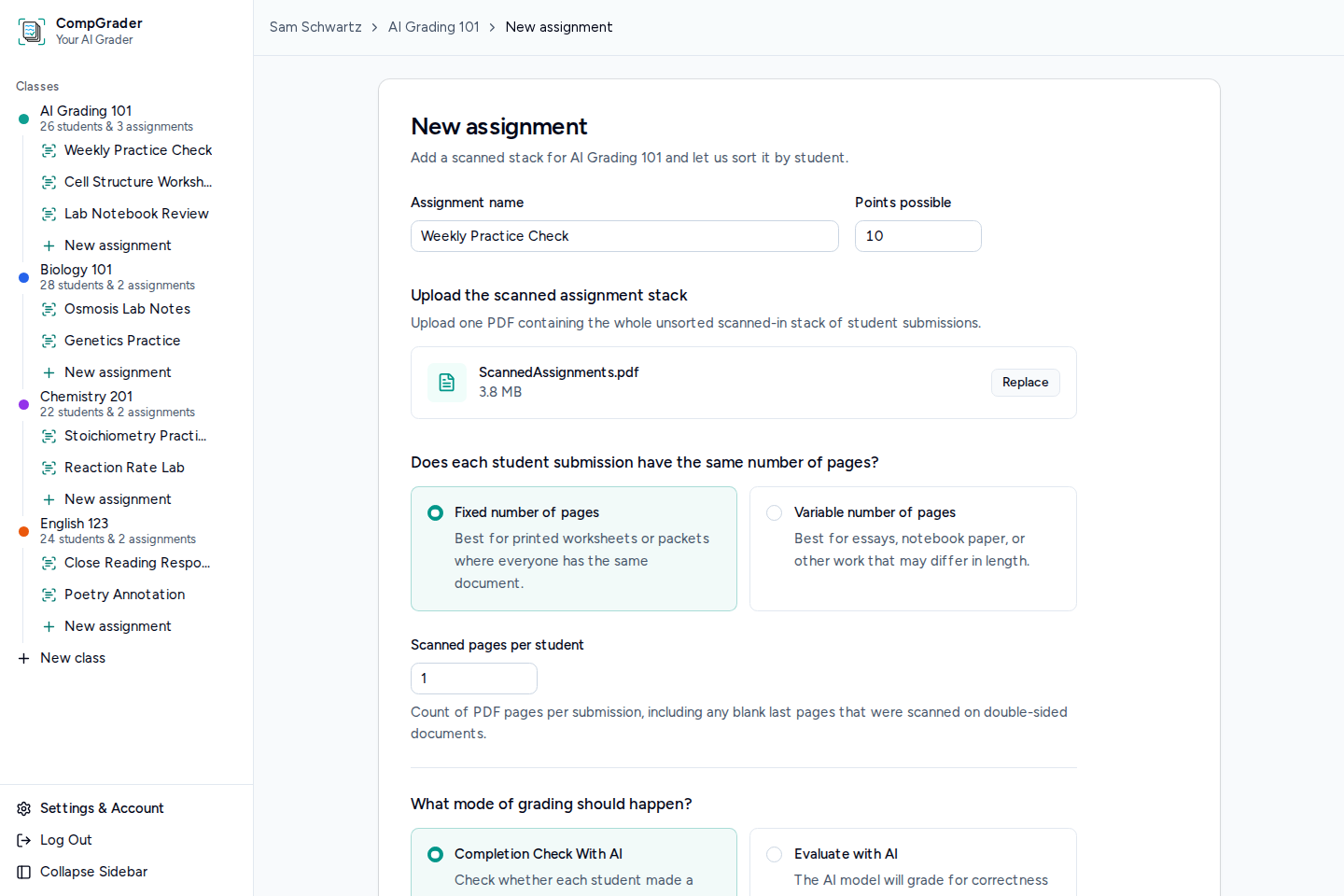
The intake
Choose the class, upload the scan, and give grading instructions.
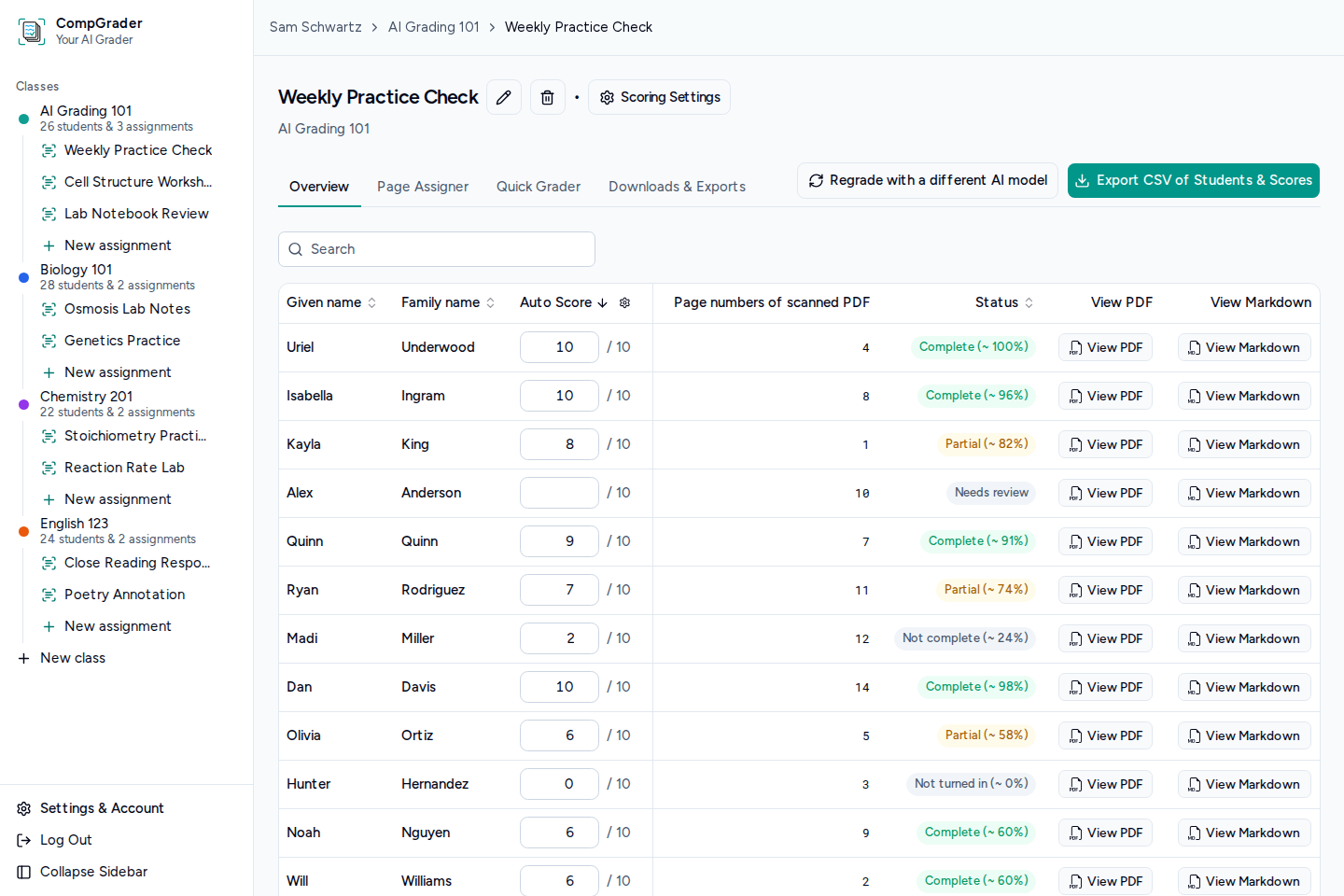
The review
See missing, ambiguous, or low-confidence work first. Original PDF page numbers stay visible so every suggestion can be traced back to the scan.
The handoff
Adjust completion status, percentages, scores, and export inclusion before anything leaves the app. Then preview the rows and download your CSV.
Choice and privacy
Help bring CompGrader to life
We're testing whether enough educators want it before we procure all the resources to run the full product.
A token deposit helps us validate demand and decide what to build next